





PRINTING KIOSK
Self-service photo printing kiosk is the product of the ''Internet'' + era, the use of high-tech technical means to achieve convenient operation of printing. In order to meet the needs of different levels, the system introduces ''self-service unmanned management''. Customers' demand for printing and photocopying can be realized through the self-registration of ID cards. Before the construction of digital archives, archivists need to spend a lot of time dealing with all kinds of data printing applications and seals. Customers can query information on the printer or print the required information (such as applications for all kinds of certificates, education, graduation, degree, transcript, etc.). Self service printing kiosk, can greatly improve the daily work efficiency, do as you come, without manual intervention, and can bring customers more convenient printing services. Self-printing all-in-one supports mobile phone WeChat, Alipay and other online payment, and a variety of payment methods are in line with people's payment habits.
WHAT CAN A PRINTING KIOSK PRINT?
1. Photocopy
including color photo paper, bank card, driving license, driving license, household registration, real estate certificate and other scanning and photocopying functions
2. Copy documents
High contrast, clear restore text files, to achieve users ordinary file copy function
3. Photocopy of id card
Read automatic positioning id card information by swiping the card, the positive and negative copies to the same piece of paper
4. Print on the USB flash drive
Automatically searches for and prints WORD, PDF, and JPG files that can be printed on the USB flash drive
HOW DOES A PRINTING KIOSK WORK?
1. Process through the program Settings of WeChat, and click "Quick Print" in the lower-left after entering the official account.
2. After entering the jump, click "Upload File".
3. Directly look for printed materials inside the mobile phone, which can be saved in my document or found in open files in WPS.
4. Upload the selected file.
5. Click "Print Setting" at the bottom of the file to enter the setting of file printing, including double-page, single page, the specific number of pages to be printed, etc.
6. After determining the printing Settings, you can pay and place your order directly.
As one of the kiosk printer manufacturers, we provide photo printing kiosk, photo printer kiosk, etc. Want to know kiosk printer price or more, contact us.
Contact : hjlkiosks hjlkiosks, 0755 27195588
Good deal: buying from seller
We invite you to read our terms of use. You can also visit our FAQ section and see our information section on the risks associated with counterfeiting.
|
This page is about importers and exporters of PRINTING KIOSK Search in a category : B2B Services Search in a category : printing, kiosk |
 50100 Everything else / Bulk
Report abuse
Tuesday, May 12, 2026
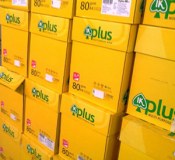
Quantity : 80000 Ream - Price : $0.79/Ream for 8000
SPECIFICATION - Sheet Size: 210mm x 297mm/297mm x 420mm International Paper Standards Size(ISO) A4/A3 - Quality: Imported 100% Virgin Wood Pulp - Whiteness: 102-104%,Natural White - Grading: A - Thickness: 106cm - Capability: High Speed Copying 100ppm, Laser Capable,Inkjet Capable...
NATH LAOH LTD
- 50100 - Chiang Mai
- +66 9 95 35 59 56
 42952 Second hand goods
Report abuse
Friday, September 27, 2013
Quantity : 7 - Price : 1,00 €
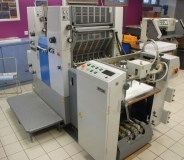
As owner, we have for sale the following 6x RYOBI's machines : Ryobi 512, Year 1997 – Ref C9889 36.5x52, 2 colors- S/N 1582 , ca. 7 Mio impression - Standard Dampening - Stream Feeder - Sidelay & Double Sheet Detector - Quick Release Clamps - Chromed Impression Cylinder - Plate...
ACS DIFFUSION s.a.s.
- acsdiffusionsa
- 42952 - Saint-Etienne
- 0033 (0)4 77 92 77 88
- 06 10 63 37 83
42952 Second hand goodsReport abuse
Saturday, November 15, 2014
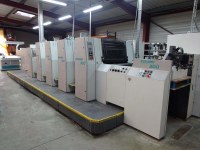
As owner, we have for sale : * Man-Roland R 304 HOB+LV (P), Year 1999 53x74 - 4 Colors + Coating Tower with Anilox "Chambered Doctor Blade" + Extended Delivery Equipped with: RCI 2 Console CCI with ColorPilot Grapho Metronic CPL (Semi-Automatic Plate Change) Automatic Paper...
ACS DIFFUSION s.a.s.
- acsdiffusionsa
- 42952 - Saint-Etienne
- 0033 (0)4 77 92 77 88
- 06 10 63 37 83
